
Downloading Claude Code
# linux shell
curl -fsSL https://claude.ai/install.sh | bash

# powershell
irm https://claude.ai/install.ps1 | iex
Basic Settings
/permissions
- set tools that can and cannot be run
/terminal-setup
enables shift-enter for newlines
/login
authenticate in Claude account.
Claude Context
Common Bash Commands, Files, Style Conventions
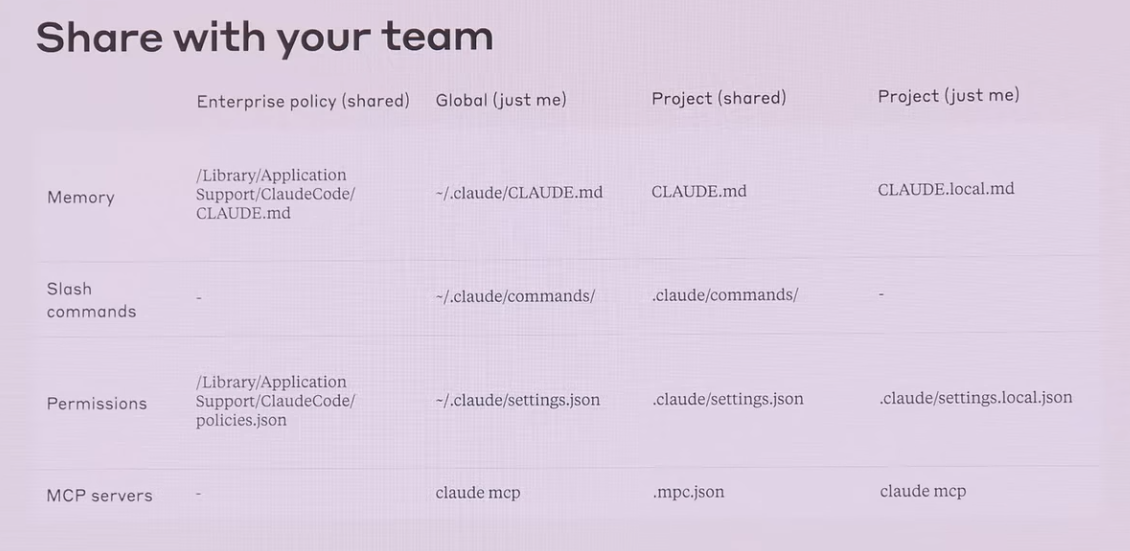
Shared Across All Projects
/<enterprise root>/CLAUDE.md~/.claude/CLAUDE.md
Checked in
<project root>/CLAUDE.md
Not Checked in
<project root>/CLAUDE.local.md
need to manually check in
Pull In Context On Demand
~/.claude/commands/foo.md->/user:foo<project root>/.claude/commands/foo.md->/project:fooa/commands/foo.md->project🅰️fooa/commands/foo.py->@a/foo.py
Permission Setting For Sharing
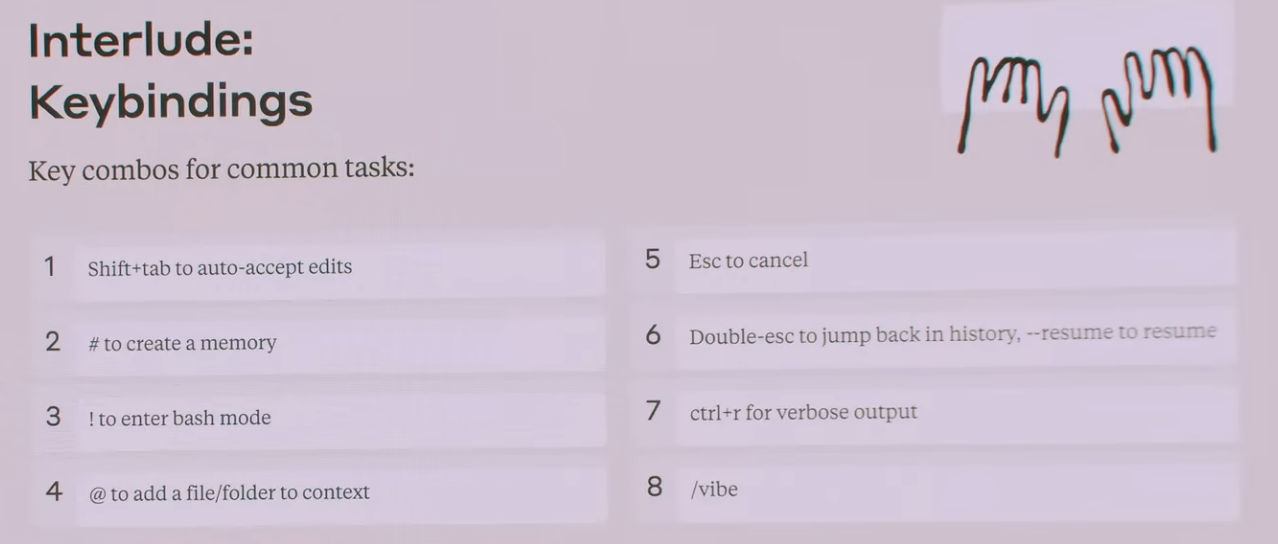
Keybindings
Tips
1. Run /init immediately
2. Structure: What, Domain, Validation
- Validation is important for AI to self-improve
3. CLAUDE.md deep dive
- always do X, never do Y - documnet Claude’s mistakes
- let Claude update CLAUDE.md
4. Get Used to the Primitive Composites
- Skills: recurring workflow (Ex) get article from hacker news + save it to local file)
- MCPs: give repo URL and tell claude to install this MCP.